


Balloon Pop Kids Learning Game
4.36.65K Reviews
App Specs
- Version
- 19.01.27
- Updated On
- License
- Free
- Downloads
- 5,000,000+
- Developer
- Bebi Family: preschool learning games for kids
- Categories
- Educational
- Platform
- Android, iOS
Screenshots
 Analysis by AppCompare
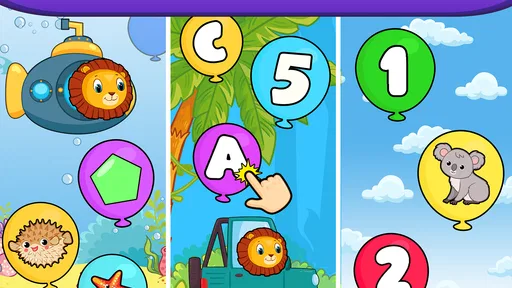
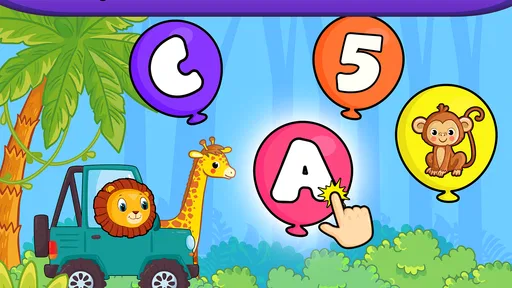
When I choose a learning game for a young child, I look for a simple activity that can hold their attention without asking them to navigate menus or follow complicated instructions. Balloon Pop Kids Learning Game is built around that kind of quick interaction: a child taps balloons while encountering letters, numbers, and shapes. It is an educational game from Bebi Family: preschool learning games for kids, and its straightforward premise makes it easy to understand what kind of play it offers.
That simplicity is the first thing I would weigh against a child’s needs. A balloon-popping game can suit a toddler who enjoys tapping bright objects, but it is not the same as a structured lesson or a creative activity with lots of choices. I see it as a small, accessible way to bring basic symbols into play, rather than a replacement for reading together, counting real objects, or hands-on shape activities.
Choosing a learning game that fits the moment
The practical question is not simply whether a game is educational; it is whether its style fits the child and the situation. Here, the central action is easy to explain, and the learning themes are familiar preschool basics. That can be useful when a child has a few spare minutes and wants something they can start without adult help. If your child prefers stories, drawing, or open-ended exploration, a tap-and-pop loop may feel limited sooner.
I would also think about how the device will be used. A shared phone during a quiet moment calls for an activity that is easy to supervise and easy to stop. A game with one clear action has an advantage over an app that sends a young child through several screens, but it still works best when an adult sets the time and context. The game can occupy a short pause; it does not need to become the default answer to every restless moment.
Balloon Pop Kids Learning Game is free to download, with in-app purchases ranging from $1.49 to $49.99 per item. That makes it sensible to treat the free experience as the first test: let the child try the core activity before deciding whether any purchase is worthwhile. I would check purchase settings on the device before handing it over, particularly if a child is likely to tap through unfamiliar prompts. The game is rated Everyone, but an age rating is not a substitute for a parent deciding what works for their own child.
What a balloon-popping format does well
The strongest case for this game is its low barrier to entry. A preschooler does not have to understand a complicated goal to take part: tap a balloon, notice what is on it, and keep going. Letters, numbers, and shapes give the tapping a learning connection, so the activity has more purpose than a screen filled with unrelated motion. For a child who is still getting comfortable with touch controls, that uncomplicated interaction can be reassuring.
It also offers a convenient way to make a small learning prompt feel playful. An adult can sit alongside and ask, “Can you find a number?” or invite the child to name a shape before tapping. This turns a brief game into a shared moment without requiring a formal lesson plan. The useful part is not assuming the game teaches every concept by itself; a child’s spoken answer, a parent’s follow-up, and a real-world example can make the symbols more meaningful.
Worth Reading Before You Choose

EA SPORTS FC Mobile 26 Is a Bigger Football Game, but It Takes Time

Flipboard Shows What News Apps Must Do Beyond the Feed

Switching to Android Auto Means Rethinking Your Driving Routine

Google Calendar Makes a Crowded Week Easier to Manage

Ludo King Makes the Most of the Minutes Between Plans

Baby Panda World Brings Quick Play to Modern Phones, but Its Game Library Feels Busy
One practical tip is to keep the play short and give it a simple focus. Instead of asking a child to absorb letters, numbers, and shapes all at once, I would choose one kind of thing to notice during a session and talk about it together. On another occasion, you can point out a matching number on a page or a shape on a toy. This makes the game a starting point for conversation rather than a substitute for the things children can touch and discuss away from the screen.
When it fits into an ordinary day
Picture a parent waiting for food to finish cooking while a toddler is beginning to lose patience. A short turn with balloon tapping could give the child a simple activity nearby, while the adult stays in the room and talks about what appears. That is a more realistic use than expecting a game to occupy a child for an entire afternoon. The quick, understandable action is most valuable in those little gaps when an adult needs a few minutes and still wants to keep the activity easy to supervise.
It can also make sense during a quiet break at home, or when a child is waiting while a caregiver finishes a small task. I would keep expectations modest: a few minutes of play can be pleasant, but the game is not a babysitter and does not make screen time automatically educational. A useful routine is to let the child play briefly, then carry the same idea into a non-screen activity: count a few blocks, name a letter in a picture book, or look for a circle in the room.
For a first-time tablet or phone user, the tap-based premise may be less intimidating than a game that depends on reading instructions or coordinating several gestures. That does not mean every toddler will find it effortless. Children vary in their comfort with touchscreens, and some may tap rapidly without attending to the symbols. Sitting beside them at first helps you see whether they are noticing the learning elements or simply enjoying the movement and sounds.
How it compares with other preschool activities
Compared with flashcard-style learning apps, Balloon Pop Kids Learning Game has a more playful, action-first feel. A child who loses interest in simply looking at a card may respond better to the act of tapping. On the other hand, flashcards or a picture book can make it easier for an adult to pause, ask a question, and stay on one item. If the aim is a calm, deliberate conversation about a letter or shape, those alternatives may suit the moment better.
Compared with open-ended drawing or building games, this title offers a narrower kind of interaction. That can be a benefit for a young child who wants a clear, repeatable action, but it leaves less room for inventing a story or making something of their own. For a child who is already bored by repetitive tapping, a coloring activity, physical toys, or a shared book may hold attention more naturally. I would choose by the child’s mood and interest, not by assuming one format is universally better.
Parents who want a highly structured teaching tool should also compare it with activities that guide an adult and child through a particular learning sequence. Balloon Pop Kids Learning Game is best approached as a simple game with educational themes, not as a complete curriculum. Its appeal is convenience and immediate interaction; its trade-off is that families looking for deeper practice, more varied tasks, or a specific lesson may prefer a different kind of resource.
What to consider before handing it over
The store summary describes the experience as having no ads, which is a meaningful point for a child-focused game: interruptions and accidental ad taps can make independent play stressful for parents. The game also has in-app purchases, so ad-free does not mean there is nothing to review before a child uses it. I would look over the purchase controls and decide in advance whether a child should be able to reach any buying options. That small bit of preparation is more useful than discovering a prompt in the middle of play.
Another sensible check is the sound. The original experience has bright visuals, pop effects, and background music, and those elements are part of its cheerful style. In a quiet room, a waiting area, or a shared space, a parent may want to adjust sound or choose a time when audio will not bother other people. It is also worth noticing whether the child stays engaged with the learning symbols when the effects are on. If the sound becomes the main attraction, a calmer activity may be a better fit for that child.
There is a difference between a game that is easy to start and one that is endlessly varied. Balloon popping is immediately legible, but a child who wants new kinds of interaction may outgrow the format or simply want a change. I would not try to stretch a session just because the game is available. Switching to toys, a snack, or a conversation is not a failure of the app; it is a normal way to keep screen use in proportion.
A brief look at its background and value
The game was released on January 24, 2020, and its current version is 19.01.15. It runs on Android 6.0 and later. Those details are useful when checking whether an older device can install it, while the practical test remains whether it behaves comfortably on the phone or tablet your family uses. I would leave enough space for an adult to explore the app first and decide whether its pacing and presentation feel right for the child.
Its average rating is 4.4 from around 45,000 ratings, and it has over 5 million installs. Those figures suggest that many families have tried it, but popularity cannot tell me whether a particular child will enjoy the format. I would treat the ratings as context, then make the decision based on the child’s age, attention, interest in letters and shapes, and response to tapping games. The free download makes that initial trial relatively straightforward, while the purchase range is a reason to review spending controls rather than assume every part of the experience costs nothing.
Switching away from the game is easy if it does not suit your child: the skills it introduces can be practiced with objects around the home, picture books, or another kind of learning activity. The more relevant cost is not technical effort but routine. If a child has come to expect the phone whenever there is a pause, it may take a little consistency to offer a different activity. I would introduce it as one occasional option among several, so stopping or changing activities feels ordinary rather than like taking away a special reward.
It is also worth deciding what success looks like before a child starts. If the goal is a cheerful short distraction with some exposure to basic symbols, the game’s simple format is a reasonable match. If the goal is for a child to practice naming objects aloud, work through a planned sequence, or make something independently, I would choose an activity designed around that purpose. Matching the tool to the moment prevents a simple game from being judged against a job it was not meant to do.
Getting Started with Balloon Pop Fun
First things first, downloading and installing the Balloon Pop Kids Learning Game was a breeze. It's available on both Android and iOS, which is a major plus. Once you open the app, you’re greeted with a vibrant and welcoming interface that’s as inviting as a sunny day at the park.
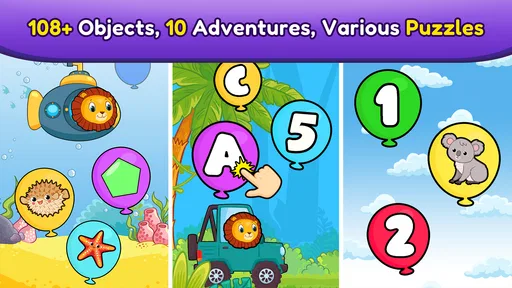
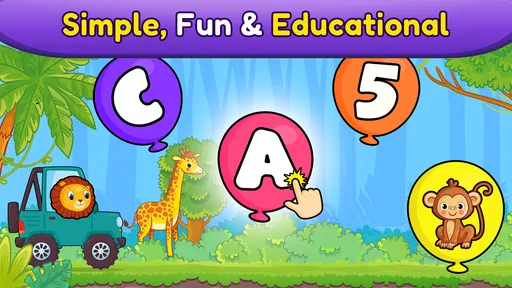
The game is designed for kids, but I found myself drawn into the popping frenzy too! The main goal is to pop balloons by tapping on them. Sounds simple, right? But the clever twist is that each balloon has letters, numbers, or shapes, making it a sneaky way to introduce learning while having fun.
A Splash of Learning with Every Pop
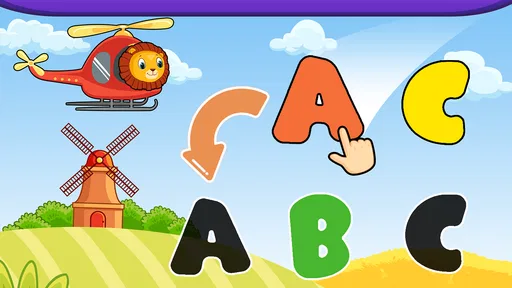
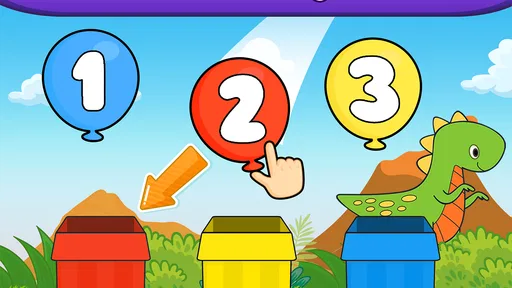
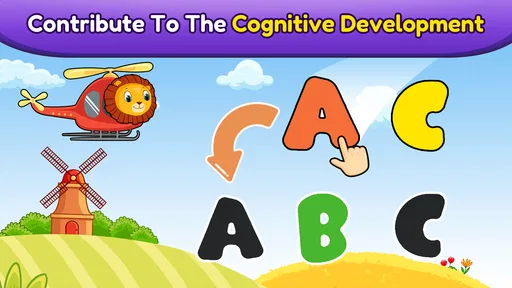
What I love about this app is how it seamlessly blends education with play. Kids can learn their ABCs, numbers, and shapes without even realizing they’re learning. The app’s design encourages kids to match and identify these elements as they pop away, which is great for visual learners.
The game progresses in levels, with each level introducing new challenges and concepts. This keeps things fresh and prevents boredom from setting in. Trust me, managing to keep a child engaged is no small feat, and this app does it well.
Sound and Visuals: A Feast for the Senses
The developers did a fantastic job with the sound effects and visuals. Each balloon pop is accompanied by a satisfying sound that’s sure to bring a smile to any kid’s face. The visuals are bright, bold, and colorful, making everything pop (pun intended) on the screen.
There’s also a catchy background tune that plays along, adding to the immersive experience. It’s cheerful enough to keep the mood light but not too repetitive to become annoying. I found myself humming along more than once!
Intuitive Controls for Little Fingers
One of the biggest wins for this game is its intuitive controls. Kids don’t need to struggle with complicated gestures or taps. A simple tap is all it takes to pop a balloon. Even toddlers can get the hang of it quickly, which is perfect for parents looking for a hassle-free app.
The app also includes some handy settings for parents, allowing you to adjust the difficulty or sound levels. It’s always nice to have that extra bit of control, especially when it comes to screen time.
Ad-Free Zone: Safe for Kids
We all know how annoying ads can be, especially in kids' apps. Thankfully, Balloon Pop Kids Learning Game is ad-free, which means no unwanted interruptions. This is a huge relief when you just want to let the kids play without worrying about them accidentally tapping on an ad.
The app offers in-app purchases, but they’re not intrusive. You can explore the game fully without feeling pressured to buy additional content, which is always a bonus in my book.
My Final Thoughts
All in all, Balloon Pop Kids Learning Game is a delightful mix of fun and education. It’s perfect for keeping the kids occupied on a rainy day or during a long car ride. The educational aspect is subtle yet effective, and the game’s design is both kid-friendly and visually appealing.
If you’re in the market for a game that combines learning with entertainment, give this one a try. It’s a great way to sneak in a bit of education while letting the kids have a blast. Happy popping!
Pros
- Engaging and colorful interface.
- Promotes fine motor skills development.
- Includes a variety of educational levels.
- Simple controls for young users.
- Encourages cognitive skill growth.
Cons
- Limited content for older kids.
- Ads can interrupt gameplay.
- Requires internet for some features.
- No customization of difficulty levels.
- In-app purchases may be distracting.
FAQs for Balloon Pop Kids Learning Game
What age group is Balloon Pop Kids Learning Game suitable for?
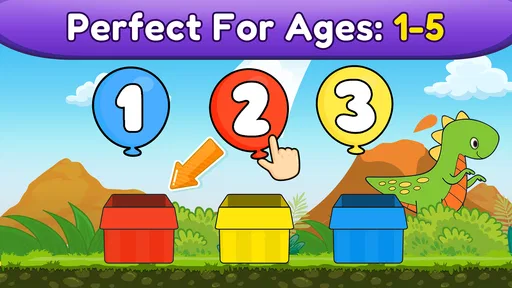
Balloon Pop Kids Learning Game is designed for children aged 2 to 5 years old. The app provides an engaging and educational experience tailored to toddlers and preschoolers, helping them develop basic skills such as color recognition, counting, and motor skills. The bright graphics and simple gameplay make it ideal for young children.
Does Balloon Pop Kids Learning Game include any in-app purchases?
Yes, Balloon Pop Kids Learning Game offers in-app purchases. While the app can be downloaded for free, certain features and additional content may require a purchase. Parents should be aware of these options and consider setting up parental controls to prevent unauthorized purchases by young children.
Is Balloon Pop Kids Learning Game available on both Android and iOS?
Yes, Balloon Pop Kids Learning Game is available for download on both Android and iOS devices. You can find it on the Google Play Store for Android users and the Apple App Store for iOS users, ensuring accessibility across a wide range of smartphones and tablets.
Does the game require an internet connection to play?
No, Balloon Pop Kids Learning Game does not require an internet connection for basic gameplay. This makes it convenient for parents who want to entertain their children during travel or in areas with limited connectivity. However, an internet connection may be needed for updates or to access certain features.
How does Balloon Pop Kids Learning Game support child development?
Balloon Pop Kids Learning Game supports child development by focusing on essential early learning skills. The game encourages hand-eye coordination, color and shape recognition, and basic counting. Through interactive play, children can improve cognitive abilities while enjoying a fun and colorful environment, making learning both entertaining and effective.


